
How to Deposit? A guide to help you through your deposits.

This guide will walk you through the process of making a deposit to your account.

We offer a variety of deposit options to suit your needs. Whether you're using a bank transfer, credit card, or digital wallet, our process is designed to be quick and secure. To help you get started, we've outlined the steps for each method.

How to Deposit Using Chime?

Chime offers fast and secure peer-to-peer transfers. Follow the steps below to complete your deposit:

  1. Select Chime as your preferred payment method.
  2. Open your Chime mobile application.
  3. Send the payment using the official Chime details provided on the deposit page.
  4. After completing the transfer, enter your Chime Tag in the required field.
  5. Upload a Proof of Payment (such as a transaction confirmation screenshot).
  6. Review your information and submit the request.

Note: Chime deposits are typically processed instantly after verification.

This short video walks you through the complete Chime deposit process step by step. You will see how to open the Chime app, send the payment correctly, and where to find the confirmation needed for verification. Watching this guide ensures your deposit is completed smoothly without any mistakes.

Watch the Chime Deposit Process Step-by-Step

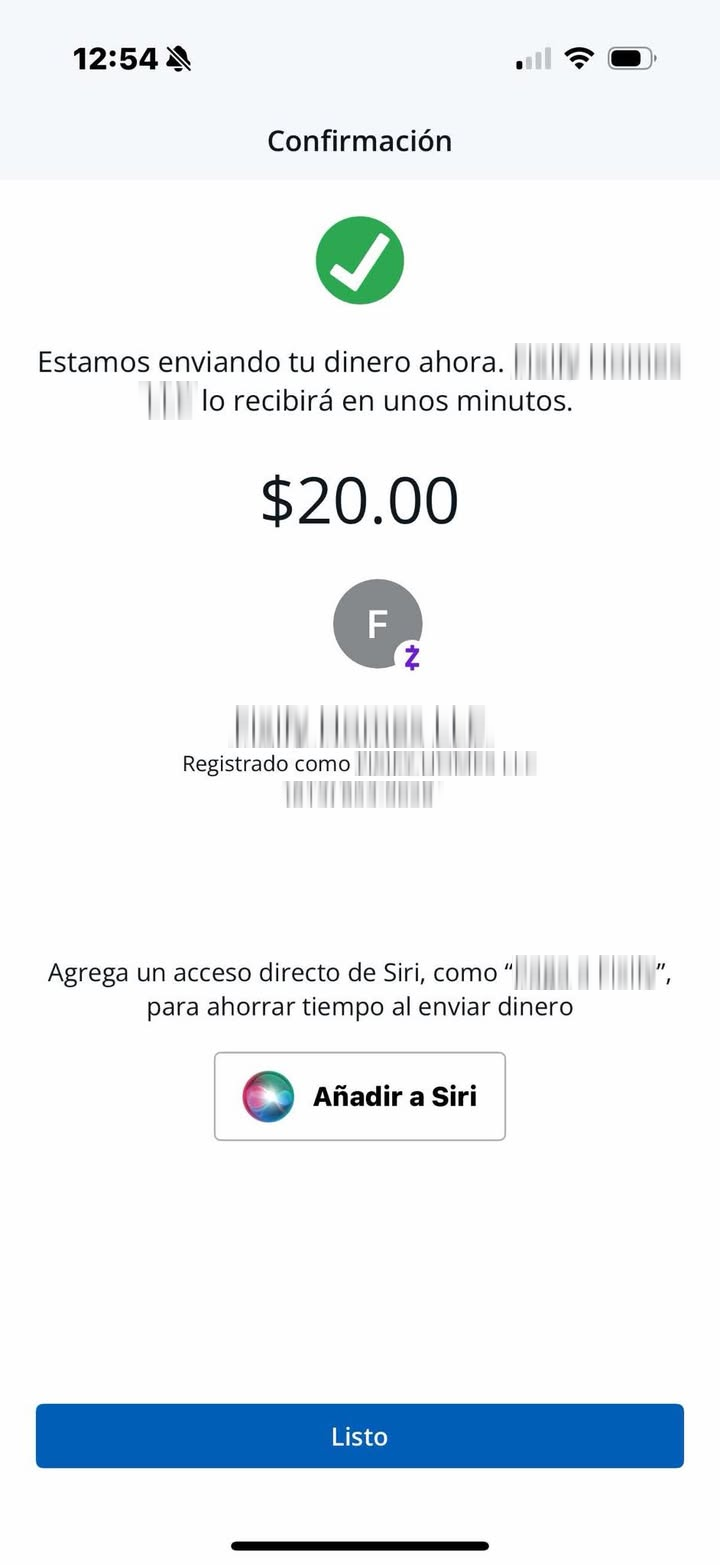
How to Deposit Using Zelle?

Zelle allows secure transfers directly between supported bank accounts.

Follow the steps below to complete your deposit using Zelle:

  1. Select Zelle as your payment method.
  2. Open your banking app that supports Zelle.
  3. Navigate to the Zelle section within your app.
  4. Send the payment using the official Zelle details shown on the deposit page.
  5. After completing the payment, enter the required transaction details in the given fields.
  6. Upload a Proof of Payment for verification.
  7. Review the information and submit your request.

Note: Both the sender and recipient must have active Zelle-enabled bank accounts.

In this video, you'll learn how to make a secure deposit using Zelle through your banking application. The guide shows how to locate Zelle in your app, enter the recipient details correctly, and confirm your transfer successfully for fast verification.

Complete Your Zelle Deposit with Confidence

How to Deposit Using Bank? (Debit / Credit Card)

Bank deposits are simple and processed instantly.

  1. Select Credit/Debit Card as your payment method.
  2. Enter your Credit/Debit Card details in the secure form provided.
  3. Specify the amount you wish to deposit.
  4. Review all details and Confirm the transaction to complete your deposit.

Note: Bank transfers are usually instant.