How to Reset Your Password on WinsUSD777?
Follow the steps below to recover your account:
- Visit the official website: https://winsusd777.com
- Navigate to the Sign In page.
-
Click the Forgot Password link to open the password recovery page.
-
Enter your username or registered email address.
-
Click the Send Request to Support button to submit your request.
-
After successful submission, you will receive a secure verification
link on your email to complete the KYC process. If
not:
- Wait for 10-15 minutes to see if you receive the email.
- Check your spam/junk folder in case the email was filtered there.
- If you still haven’t received the email, proceed to the next step.
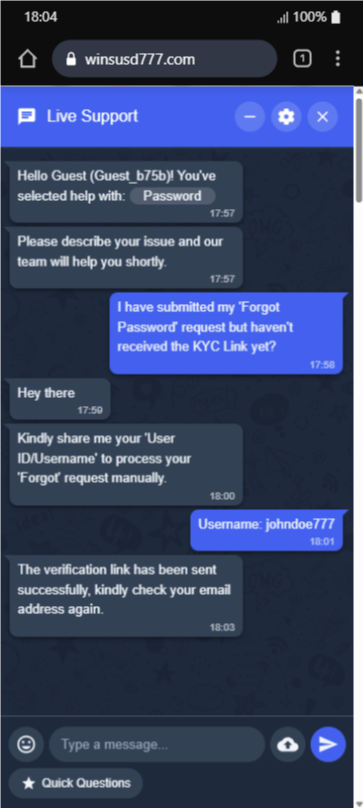
- Contact our support team by clicking the
Chat Button located at the bottom-right corner on the main
site page.
-
In the chat menu, select Help with “Forgot Password”.
Your user ID will appear as Guest User since you are not
logged in.
-
Explain your issue clearly in the chat. A support agent will assist you
shortly.
-
For security verification, the agent may request your
User ID, Username, and/or Email Address to proceed.
-
Once verified, you will receive a secure verification link
on your
registered email to complete the KYC process.
-
After successful KYC verification, our support team will issue a
secure, randomly generated password to your registered email.
-
Use the provided password to sign in and access your account.
Note: This process is designed to protect your account.
Never share your login credentials or verification details with anyone.